WhatsApp Desktop
WhatsApp for PC is the most popular web app that helps you end-to-end encryption chat and audio/video calls.

Safe & Secure
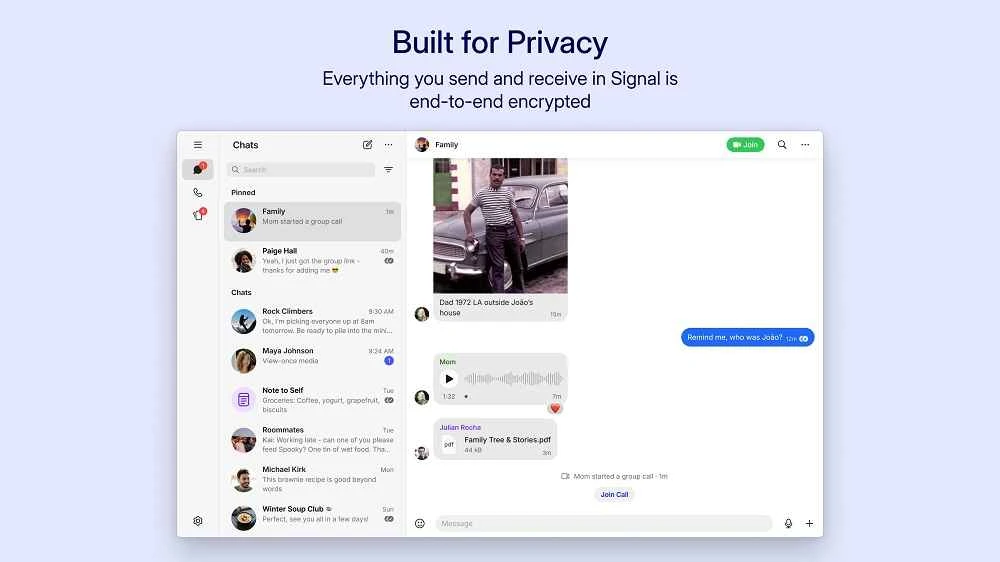
Signal for Windows is one of the most powerful and trusted instant messaging tool to offer completely encrypted text messages and audio/video calls. It is a free-to-use, open-source, cross-platform utility to offer services similar to WhatsApp, Telegram, and so on.
User privacy and security are the basic elements that enable users to share their photos, videos, or documents, make audio/video phone calls, and send and receive text/voice messages with ease, as there is no data leakage issue, regardless of the device you are using, including Android, Windows, iOS, or Mac.
Signal, developed by a nonprofit foundation named Signal Messenger LLC, falls under the Communication category and is a free and open-source utility. The idea behind the app's development is privacy and security to streamline the user experience. It is equipped with the open-source Signal Protocol for the security of one-to-one and group conversations.
You can also maintain your media-sharing process, as only the recipient can access it. The app is the best combination of chatting, calling, and file-sharing, using end-to-end encryption, and doesn’t collect data on its servers.
The app is the best alternative to other mainstream instant messaging apps, such as WhatsApp or Telegram, and offers a less flashy and minimalist design. It allows users to continue their chats and talks with others across the world, without paying any fees. As, the app uses the Signal protocol for the safety of your conversations and offers a unique numerical code as a ‘safety number’ for verifying the chats. So, if anyone tries to access your conversation using a different safety number, Signal will notify you.
It is one of the core features, offering seamless contact synchronization that helps users to identify people who are available on Signal. In a group chat, you are capable of adding up to 150 participants as an admin and managing the larger conversations using the ‘Admin Controls’ as well. It also offers read receipts, typing indicators, and customizable notifications to make your conversations smooth and simple.
Similar to other instant messaging apps, privacy and security are major concerns, as the use of the open-source Signal protocol offers end-to-end encryption for messages, audio/video calls, file-sharing, and group conversations. It doesn’t store account information on servers, limiting the surface for correlation or exposure. It also stops unauthorized re-registration of a phone number, offering protection for profile settings within registration lock as well as an optional PIN. You will also find encrypted local backups and secure transfer mechanisms, in case of preserving conversations for moving to other devices.
The clean and minimalist user interface offers a conversation list on the left sidebar, and message threads are on the right pane. Users are allowed to select a dark or light theme that is available with subtle visuals for prioritizing usability over decoration. It offers intuitive navigation, ensuring that searching for messages, starting new chats, or changing settings.
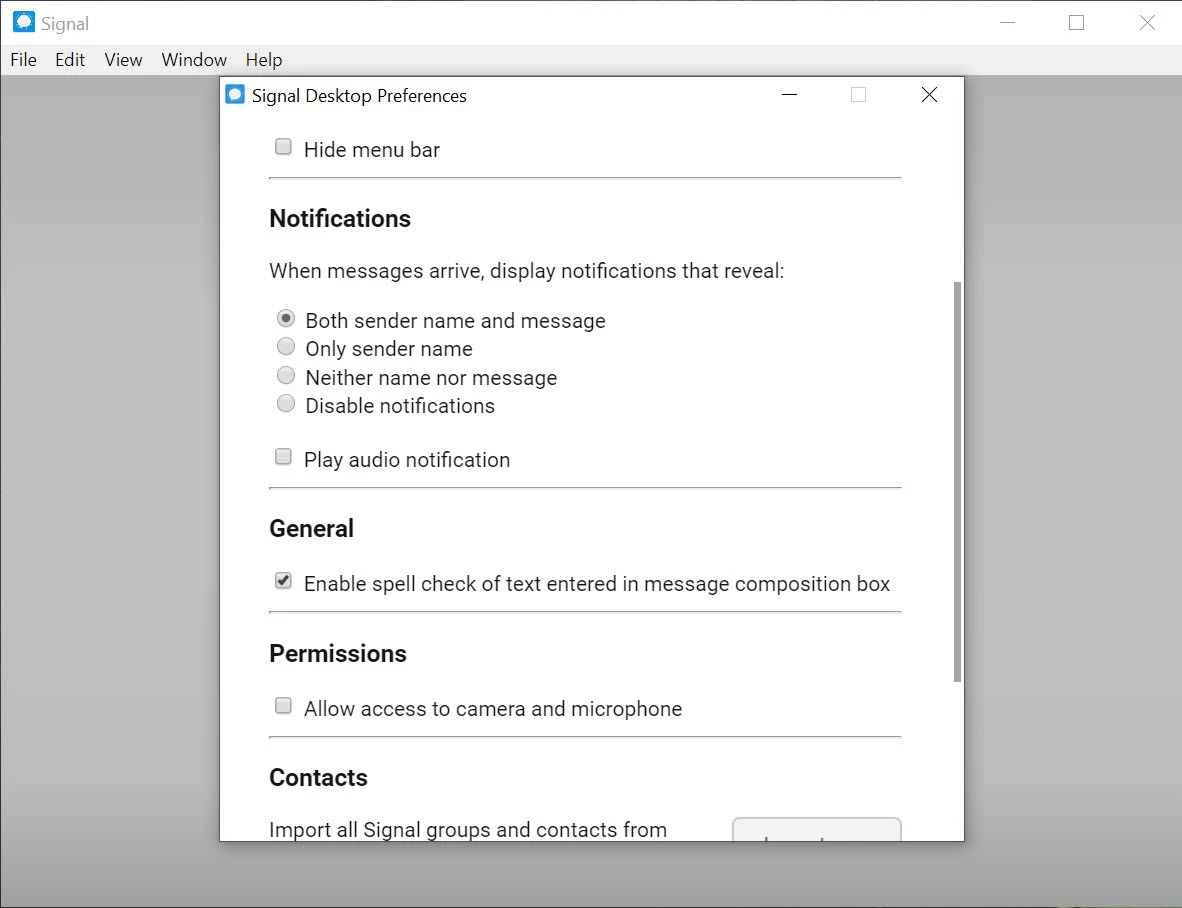
You will also find multiple innovative customization options to personalize the app according to your preferences. You can adjust font size, select themes of your choice, and adapt notifications as you desire. The app tailors a unique and personalized messaging experience to suit your requirements. You can also spruce up messages using stunning stickers and emojis for both one-to-one and group chats.
The app, as an alternative to multiple other mainstream instant messaging apps, also offers media sharing capability. So, you can share your photos, videos, voice notes, GIFs, and also important documents, with strong encryption. You can also share your location with your friends and family, specifically in case of any misunderstanding.
It is another significant feature, allowing users to delete messages from their chat wall, as it also helps to clear storage and makes your app distraction-free. You only need to enable the feature from the settings menu and set a timer to delete the messages after a specified period. In this way, you can maintain privacy, as it will also delete sensitive information when it isn’t necessary to retain, enabling users to control their data.
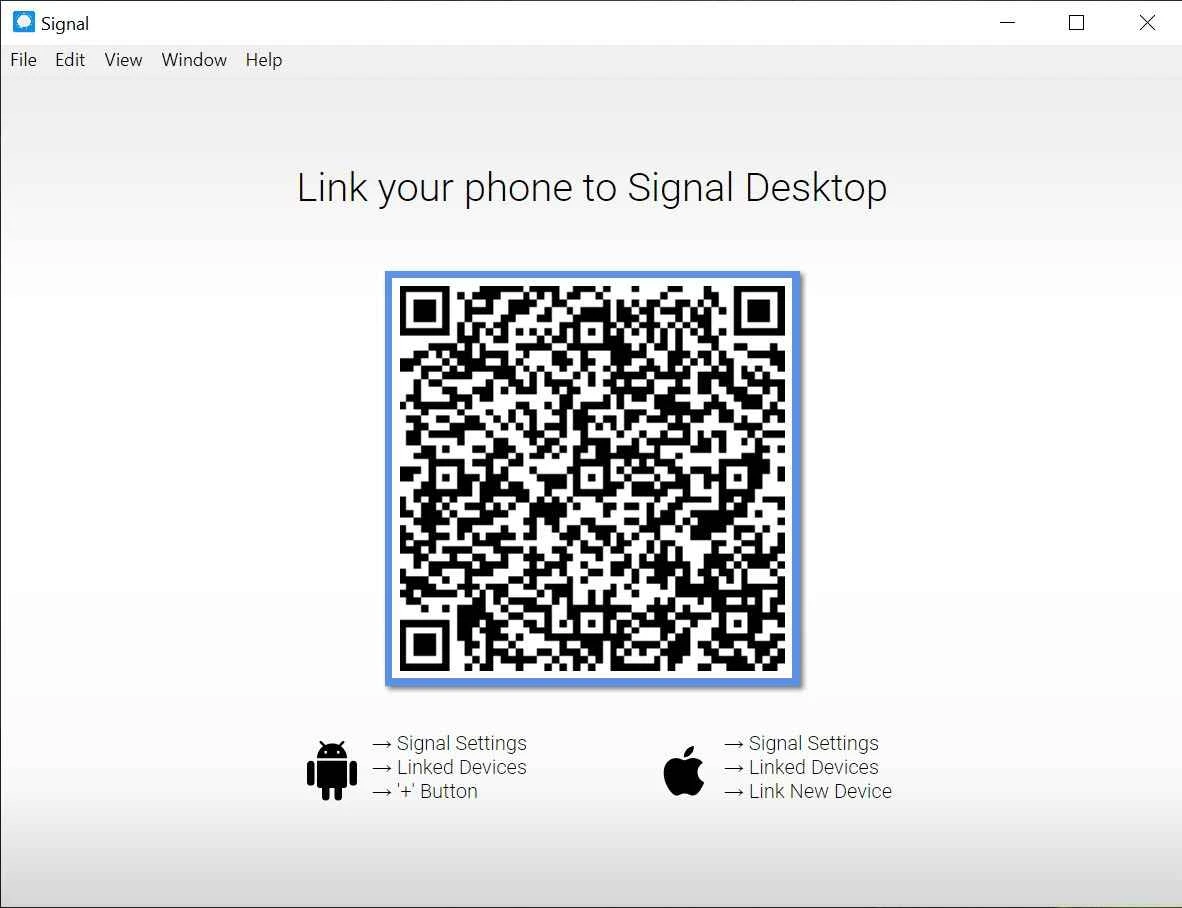
Mobile synchronization is necessary, as the Windows version is available through a mobile version. So you need to first install the app on your mobile phone and sync the account on both devices as well. In this way, you will find a non-stop messaging and file-sharing experience across your devices, as well as effortlessly synchronized settings as well.
Pros
Cons

WhatsApp for PC is the most popular web app that helps you end-to-end encryption chat and audio/video calls.

Microsoft Teams collaboration and communication tool for personal and professional use

Download Facebook Android APK on PC Windows (7/10/11) to upload and share your happy memories, photos, and videos.

Zoom App for PC get all of your co-members and students in a video conference

Discord Canary, test upcoming features before they release

Telegram Desktop is Communication app for PC. Working under the MTProto protocol.